



Types of Web Hosting: A Complete Guide
Nobody browses hosting plans for fun. You end up here because something stopped working - pages that lag on Tuesday afternoons, a checkout that times out once a week, or a compliance audit that suddenly asks where your data actually lives. The different types of web hosting aren't interchangeable, and treating them like a simple upgrade ladder is where most decisions go wrong. This guide maps every major hosting type to the use cases where it actually wins - including the ones that rarely come up in marketing copy.
AI Summary
Web hosting is the infrastructure that stores your website's files and delivers them to users via the internet. There are 12 primary types of web hosting, ranging from budget shared plans to bare-metal dedicated servers and serverless compute at the edge. Understanding the full range of types of hosting - and where each one fits - is the foundation of any sound infrastructure decision. The core decision axis is a triangle: resource isolation (how much of the server is yours), management responsibility (who handles the OS, patches, and monitoring), and scalability model (fixed allocation vs. elastic).
The stakes are real. The global web hosting market reached $126.4 billion in 2024 and is projected to hit $372.3 billion by 2030 at a 13.62% CAGR (Fortune Business Insights via Wix, January 2026). Meanwhile, downtime costs large organizations an average of $9,000 per minute (DesignRush / Digital Silk, 2025). Your hosting choice directly determines your exposure to that risk.
Hosting types at a glance:
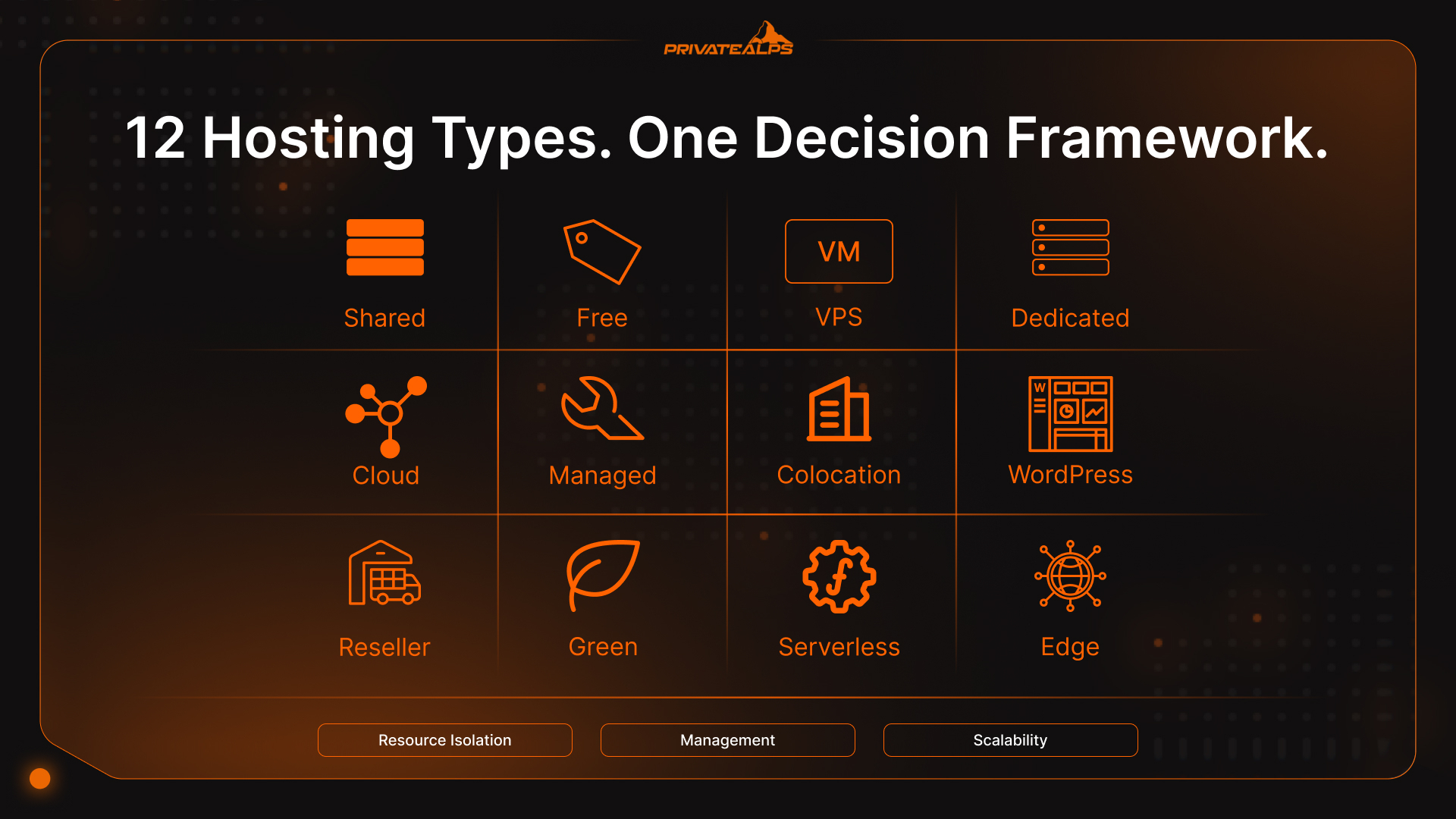
- Shared hosting - multiple sites on one server; cheapest entry point for low-traffic sites
- Free hosting - zero cost, significant hidden limitations; prototyping only
- VPS hosting - virtualized isolation on a shared physical machine; best mid-tier option
- Dedicated server - entire physical machine for one tenant; maximum performance, highest cost
- Cloud hosting - elastic resources drawn from a distributed server pool; pay-as-you-go
- Managed hosting - any of the above with full server administration handled by the provider
- Colocation - client-owned hardware in a provider's data center
- Managed WordPress hosting - stack optimized specifically for WordPress workloads
- Reseller hosting - wholesale capacity repackaged and sold to end clients
- Green hosting - infrastructure powered by renewable energy or offset by RECs
- Serverless hosting - code runs on demand in stateless containers, billed per execution
- Edge hosting - compute distributed across geographically dispersed nodes close to end users
How Web Hosting Works: The Basics Before You Choose
At the bottom of it, a web server is just a computer - one that stores your website's files, waits for incoming HTTP/HTTPS requests, and sends back whatever the browser asked for: an HTML page, an image, an API response. When someone types your domain, DNS resolves it to an IP address, the server picks up the request, and ideally the whole thing takes under 200ms. The different types of web server configurations behind that process - from shared machines running Apache or Nginx to distributed virtual environments and edge nodes - are what actually determine whether that 200ms is consistent or just a suggestion.
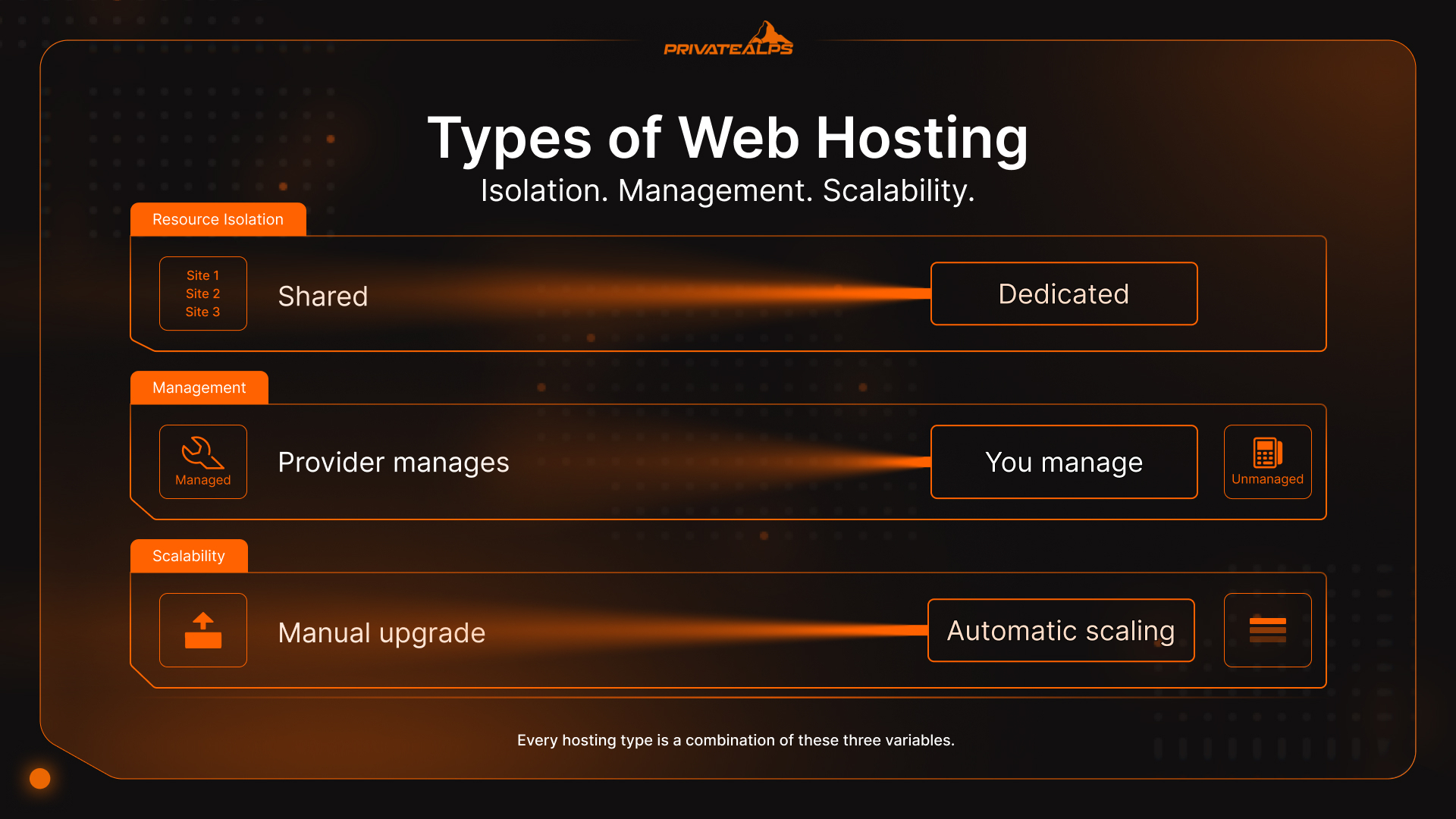
Every hosting type is a variation on three variables. Get these right and the rest follows:
- Resource isolation: Are you sharing CPU, RAM, and storage with strangers, or do you have a guaranteed allocation? Isolation directly affects performance predictability under load.
- Management responsibility: Who applies OS patches, monitors uptime, and responds to incidents? Unmanaged is cheaper; managed is safer for teams without dedicated sysadmins.
- Scalability model: Can your hosting grow with traffic spikes automatically, or does scaling require manual intervention and planned downtime?
Getting this wrong costs more than switching later. A site that outgrows shared hosting mid-launch faces emergency migration under pressure. A developer paying for dedicated infrastructure to run a 500-visitor blog is just burning money. Neither situation is complicated to avoid - if you know what you're actually choosing between.
Types of Web Hosting at a Glance
The table below maps all major web hosting types across five decision dimensions so you can identify the right fit before diving into individual sections. These web hosting types and their differences span resource model, management overhead, scalability approach, primary use case, and cost.
| Type | Resource Model | Management | Scalability | Best For | Cost Range |
|---|---|---|---|---|---|
| Shared | Pooled (no isolation) | Provider | Manual upgrade | Beginners, blogs | $2-10/mo |
| Free | Pooled (no isolation) | Provider | None | Learning, prototypes | $0 |
| VPS | Isolated virtual slice | Self or managed | Manual/semi-auto | SMBs, developers | $15-100/mo |
| Dedicated | Full physical server | Self or managed | Manual | High-traffic, compliance | $80-500+/mo |
| Cloud | Elastic distributed pool | Self or managed | Automatic (horizontal) | SaaS, variable traffic | Pay-as-you-go |
| Managed | Any type above | Provider | Depends on base type | Non-technical teams | +30-50% premium |
| Colocation | Client-owned hardware | Client (hardware) | Limited by hardware | Regulated industries | $200-1000+/mo |
| Managed WordPress | Optimized shared/VPS | Provider | Limited | WordPress sites | $15-50/mo |
| Reseller | Wholesale shared/VPS | Client resells | Per plan | Agencies, freelancers | $20-100/mo |
| Green | Renewable-powered | Varies | Varies | ESG-conscious buyers | Comparable to standard |
| Serverless | Stateless containers | Provider | Automatic (per function) | APIs, event-driven apps | Per-execution billing |
| Edge | Distributed nodes | Provider | Automatic (geographic) | IoT, real-time, global apps | Usage-based |
Shared Hosting
Shared hosting is a pooling arrangement. One physical server runs potentially thousands of websites at once, all pulling from the same CPU, RAM, and disk. There's no hard separation between tenants - just soft limits and the assumption that not everyone spikes at the same time. When that assumption holds, it works fine. When it doesn't, you find out the hard way. Around four in ten websites run on WordPress, and even a simple page load fires off PHP processing and database queries. Stack that across hundreds of sites on the same box and the server is never really idle - which is why 53% of shared hosting operators report outages over a three-year period.
The trouble is what you don't control. Another site on your server runs a poorly optimized plugin, gets a traffic spike, or kicks off a heavy background job at 2pm - and your site slows down too. That's the noisy neighbor problem, and there's no SLA against it. You can't see the other tenants, can't complain about them specifically, and can't move away from them without switching plans entirely. What hits first isn't usually bandwidth - it's CPU wait time, database locks, and PHP workers backing up. Sites trip these limits at surprisingly low traffic levels, especially anything dynamic: logged-in users, checkout flows, membership areas. The web isn't static anymore, and shared hosting was designed for when it was.
There's a less-discussed risk worth knowing about: shared IP reputation. On shared hosting, your site shares an IP address with everyone else on that server. If a neighbor runs a spam campaign, that IP block can end up on email blacklists - and suddenly your order confirmation emails stop arriving. For websites that rely on transactional email, this isn't theoretical.
| Pros | Cons |
|---|---|
| Lowest cost ($2-10/month) | Noisy neighbor problem |
| No server management required | No resource guarantees |
| Pre-configured for common stacks | Shared IP reputation risk |
| Suitable for low-traffic sites | Limited configuration flexibility |
| Included control panel (cPanel) | Poor performance at scale |
Best for:
- Personal blogs and portfolio websites under 10,000 monthly visitors where shared web hosting is sufficient
- Static or low-dynamic small business websites that don't require custom server software
- First-time website owners learning the basics of web hosting without a budget for VPS
- Short-term or experimental web projects where uptime guarantees are not critical
Free Hosting
Free hosting is exactly what it sounds like, with a catch that's worth spelling out: the product is you. Providers inject ads into your pages, log your traffic data, restrict custom domains, and offer no uptime commitments. Your website carries someone else's branding. When the service goes down - and free tiers go down - there's nobody to call.
The business model makes sense once you look at it directly. Free hosting providers earn through ad impressions on your visitors, analytics data sold to third parties, or the friction that eventually nudges you toward a paid plan. You are rarely the customer. For learning HTML or hosting a throwaway experiment, that trade-off is acceptable. For anything with real stakes - revenue, user data, a brand you care about - it stops being acceptable pretty quickly.
| Pros | Cons |
|---|---|
| Zero upfront cost | Provider-injected advertising |
| No commitment required | No custom domain support |
| Useful for learning environments | No meaningful uptime SLA |
| Good for throwaway prototypes | Zero customer support |
| Data collection by provider |
Best for:
- Learning HTML/CSS by publishing a test website without paying for hosting
- Temporary web landing pages with no business objective or user data
- Testing web configurations before committing to a paid hosting plan
Not suitable for: Any production website, business use, or web application handling user data.
VPS Hosting (Virtual Private Server)
A VPS is still shared hardware - but the similarity to shared hosting ends there. A hypervisor layer, typically KVM or VMware, carves the physical server into isolated virtual machines. Each VM gets its own OS kernel, its own allocated CPU cores and RAM, and runs independently of whatever else is on the machine. The different types of web servers inside a VPS - Apache, Nginx, LiteSpeed - perform meaningfully better when they have guaranteed CPU cycles rather than competing for whatever's left over.
Here's the practical difference: on shared hosting, a neighbor can eat 80% of available CPU and your site feels it. On a VPS, a hypervisor enforces hard limits. What you're allocated stays allocated. The residual risk - and it's real on budget providers - is CPU steal time: when the physical host is under heavy load, the hypervisor may queue your VM's scheduled processes, introducing latency you can't immediately explain. Reputable providers manage this through host density limits. But if your TTFB starts drifting at odd hours, that's the first place to look.
The managed vs. unmanaged question is separate and worth treating honestly. Unmanaged VPS gives you root access and full control. You own OS updates, security patches, monitoring, the whole stack. Managed VPS handles that layer for you - typically for 30-50% more per month. If your team doesn't have someone who enjoys reading security advisories at midnight, managed is usually cheaper in the long run.
| Pros | Cons |
|---|---|
| Guaranteed resource allocation | Requires Linux/server knowledge (unmanaged) |
| Root access and full customization | Scaling requires manual upgrade |
| Isolated from neighbors | CPU steal time on cheap providers |
| Good price-to-performance ratio | No automatic horizontal scaling |
| Managed option available | More expensive than shared |
Best for:
- Growing small-to-medium businesses whose website has exceeded shared hosting capacity
- Developers who need custom web server configurations and root-level access
- Web applications requiring a specific software stack not available on shared hosting plans
- Websites handling sensitive user data where tenant isolation is a security requirement
Dedicated Server Hosting
Dedicated hosting is bare metal - a full physical server, no virtualization layer, no other tenants. Every CPU core, every gigabyte of RAM, every I/O operation belongs to you. For websites where performance predictability is non-negotiable, this is the only option that removes infrastructure uncertainty entirely.
The math on when it makes sense is relatively clean. A dedicated server becomes economically rational at roughly 70%+ sustained resource utilization compared to equivalent VPS plans. Below that, you're paying for idle capacity. At sustained high load, you get better IOPS than any shared infrastructure can match - and your hosting costs on a dedicated plan will often undercut equivalent VPS spend once you're consistently at that utilization level.
Compliance is the other driver. PCI DSS v4.0 (v4.0.1), mandatory since March 2025, requires tenant isolation that shared hosting simply can't provide. HIPAA workloads handling Protected Health Information need demonstrable control over the physical layer. AI/ML training runs on GPUs that benefit from dedicated memory bandwidth - virtualization introduces overhead that matters at scale.
| Pros | Cons |
|---|---|
| Maximum performance and IOPS | Highest cost ($80-500+/month) |
| Full hardware control | Requires sysadmin expertise (unmanaged) |
| Meets PCI DSS v4.0 and HIPAA requirements | No automatic failover |
| No noisy neighbor risk | Scaling requires hardware procurement |
| Custom hardware configuration | Provisioning time: hours to days |
Best for:
- High-traffic e-commerce websites requiring PCI DSS v4.0 compliant hosting
- AI/ML model training workloads that need dedicated GPU server resources
- Web applications with sustained >70% resource utilization where dedicated hosting is cost-efficient
- Organizations in regulated industries that require hardware-level control over their hosting environment
Cloud Hosting
Cloud hosting draws from a pool of interconnected servers across multiple physical locations. The difference from VPS isn't about power - it's about shape. VPS gives you a fixed slice of one machine. Cloud gives you elastic capacity across many: add a node when traffic spikes, release it when traffic drops. If your website sees unpredictable demand or seasonal bursts, cloud hosting lets you pay for capacity only when you actually need it.
That flexibility cuts both ways. Cloud is economically efficient for variable workloads and quietly expensive for predictable high-utilization ones - where a reserved VPS or dedicated server often costs less per month. Before committing, model your average resource consumption. Bill shock on cloud is real, and it usually arrives before you've had time to set budget alerts.
The less obvious risk is concentration. The AWS us-east-1 availability zone outage in October 2025 took down thousands of services simultaneously - not because cloud failed conceptually, but because too many teams had stacked everything in one region without thinking about it.
That's why 88% of organizations now run multi-cloud or hybrid cloud environments (SSL Dragon / HostNOC, 2025). Data sovereignty matters here too: not all cloud providers offer EU or Swiss data residency by default, and that gap matters under GDPR and Switzerland's nFADP. Before migrating, ask your provider exactly where your data physically lives.
| Pros | Cons |
|---|---|
| Elastic horizontal scaling | Variable, potentially unpredictable costs |
| Pay-as-you-go pricing | Vendor lock-in risk |
| High availability across zones | Data residency not guaranteed by default |
| No hardware management | Complexity of multi-region architecture |
| Automatic failover options | Cold start latency for serverless layers |
Best for:
- SaaS websites and web applications with variable or unpredictable traffic spikes
- Global web services requiring multi-region cloud hosting deployment
- Organizations needing rapid web infrastructure provisioning without hardware procurement
- Development teams building with infrastructure-as-code who want cloud-native hosting flexibility
Managed Hosting
Managed hosting isn't a separate infrastructure type. It's a service layer that sits on top of VPS, dedicated, or cloud - where the provider takes on server administration: OS patches, monitoring, backups, incident response, software updates. The hardware or virtual machine underneath doesn't change. What changes is who gets paged when something breaks.
The cost math is direct: managed hosting adds roughly 30-50% to the base infrastructure price. For a startup that would otherwise pay $120,000/year for a DevOps engineer, even a $500/month managed premium is worth running through a calculator. For large teams with in-house Linux expertise, it's a different conversation. The thing most people miss: "managed" isn't a standard. Ask your provider exactly what their service covers - the gap between "we monitor uptime" and "we handle all OS-level security" is enormous, and it's not always obvious from the plan name. It matters more than most people think: infrastructure incident data consistently shows that unpatched systems and misconfigurations cause around 60% of outages and breaches. Managed hosting makes routine maintenance someone else's problem - which is the whole point.
| Pros | Cons |
|---|---|
| No sysadmin required | 30-50% cost premium over unmanaged |
| Proactive monitoring and patching | Less configuration flexibility |
| Included backup and recovery | Dependent on provider's update cadence |
| Faster incident response | Limited custom software stack |
| SLA-backed uptime commitments |
Best for:
- Non-technical founders running a production website without dedicated server expertise
- Small businesses that need reliable web hosting without managing server administration
- Teams that want to focus on product development rather than hosting maintenance
- Organizations with strict uptime SLA requirements for their web infrastructure
Colocation Hosting
Colocation flips the usual model. You own the server hardware. The provider owns the building - the rack space, redundant power feeds, cooling, and network uplinks. You ship your server to the facility; they plug it in. Unlike dedicated hosting where you're renting hardware, in colocation the machine is yours.
That distinction matters more than it sounds. Regulated industries - finance, healthcare, defense - often need to show auditors documented ownership and physical control over hardware storing sensitive data. A dedicated server rental doesn't give you that. Colocation does. The other case is economics: if your organization already owns significant server hardware, colocating beats the depreciation hit of replacing it while still giving you enterprise data center infrastructure.
The trade-off is straightforward: you own it, you maintain it. Hardware failures, upgrades, drive replacements - those land on your team. Some facilities offer "hands-and-eyes" support as a paid add-on, where a technician will physically press the reset button or swap a cable. But for anything beyond that, plan for a site visit.
| Pros | Cons |
|---|---|
| Full hardware ownership and control | High upfront hardware investment |
| Enterprise-grade data center infrastructure | Client responsible for hardware failures |
| Meets strict compliance requirements | Remote management limitations |
| Predictable monthly facility cost | Requires IT staff for maintenance |
| Leverage existing hardware investment | Scaling requires hardware procurement |
Best for:
- Financial institutions that require hardware-level compliance for their web and data infrastructure
- Organizations with substantial existing server hardware seeking colocation hosting facilities
- Businesses in regulated sectors that need documented hardware ownership for compliance audits
- Companies seeking enterprise-grade data center access for their web infrastructure without building one
Managed WordPress Hosting
Managed WordPress hosting isn't generic shared hosting with WordPress pre-installed. The stack is built specifically for WordPress: server-level caching via Redis or Memcached, automatic WordPress core and plugin updates, staging environments you can push to production with one click, and a Web Application Firewall tuned to WordPress-specific attack patterns - XML-RPC abuse, wp-login brute force, plugin exploits. If your website runs on WordPress and organic search matters to you, this is the hosting tier where the price difference actually shows up in rankings.
The performance gap is measurable. Managed WordPress hosting typically delivers 2-4x faster Time to First Byte compared to standard shared hosting running the same installation. That number feeds directly into Core Web Vitals. A slow TTFB hurts LCP. A poor LCP hurts rankings. And shared hosting is often the root cause - not the theme, not the plugins - just the underlying server stack responding slowly under load.
| Pros | Cons |
|---|---|
| WordPress-optimized server stack | Locked to WordPress only |
| 2-4x faster TTFB vs. shared hosting | More expensive than generic shared |
| Automated WordPress updates | Limited server configuration access |
| Staging environments included | Overkill for simple static sites |
| WordPress-specific security rules | Plugin restrictions with some providers |
Best for:
- Content-heavy WordPress websites where web hosting performance directly impacts SEO
- WooCommerce web stores that require consistently fast page loads under transactional load
- WordPress agencies managing multiple client websites from a centralized hosting environment
- Blogs and media websites that need reliable automated WordPress updates and staging workflows
Reseller Hosting
Reseller hosting lets you buy hosting capacity wholesale and sell it under your own brand. You work at the WHM (Web Host Manager) level - creating cPanel accounts for each client, setting their resource limits, handling billing directly. The underlying infrastructure stays with your upstream provider. Your clients never see it; they see your brand, your support email, your invoice. Each client website gets its own hosting environment that you fully control.
The math works out quickly for anyone managing 20+ client websites. A reseller plan at $30-100/month, with clients paying $10-30/month each, funds itself within a handful of accounts and centralizes everything that was previously scattered across individual logins. In 2026, AI-driven reseller dashboards are becoming standard - provisioning, billing, and support ticket routing handled through integrated LLM interfaces, which cuts the time cost of running a small hosting operation considerably. If you're managing web hosting for multiple clients on separate plans right now, reseller is usually a straightforward upgrade.
| Pros | Cons |
|---|---|
| White-label branding for agencies | You are responsible for client support |
| Centralized multi-site management | Shared infrastructure limitations |
| Revenue opportunity per client | Dependent on upstream provider reliability |
| WHM/cPanel management tools | Not suitable for high-traffic individual sites |
| Low startup cost | Margin competition from DIY hosting |
Best for:
- Web design agencies that manage hosting for multiple client websites under one reseller plan
- Freelancers building a recurring web hosting revenue stream alongside their design services
- IT consultants who bundle web hosting with managed services for business clients
- Startups building a niche web hosting product on top of wholesale infrastructure
Green Hosting
Green hosting means the data center running your website is powered by renewable energy - wind, solar, hydropower - or offsets its carbon through Renewable Energy Certificates (RECs). That distinction matters if you're doing real sustainability reporting. A 100% renewable-powered data center reduces grid carbon draw directly. REC-offset models fund renewable capacity elsewhere but don't change what's actually powering your servers today. Ask which model your provider uses before calling it green.
Switzerland is worth knowing about here. In 2024, the country generated 59.6% of its domestic electricity from hydropower - a record high, according to the Swiss Federal Office of Energy - making Swiss data centers among the lowest direct-carbon facilities in Europe without relying on offset accounting. For organizations preparing Scope 3 emissions reporting under the GHG Protocol, where your servers physically sit is no longer just an ethical choice - it's a procurement variable. Google's Core Web Vitals don't measure carbon. But enterprise RFPs increasingly do, and the Corporate Sustainability Reporting Directive (CSRD) is pushing that requirement further down the supply chain.
| Pros | Cons |
|---|---|
| Reduces direct carbon footprint | REC-based offset claims vary in quality |
| Supports enterprise ESG reporting | Sometimes premium pricing |
| Increasingly required in procurement | Greenwashing risk from some providers |
| Swiss data centers: genuine low-carbon | Renewable availability varies by region |
| Regulatory alignment (CSRD, GHG Protocol) | Verify certifications before committing |
Best for:
- Organizations with ESG reporting obligations who need verifiably low-carbon web hosting
- Enterprise buyers whose procurement policies require sustainability certification from their hosting provider
- EU-regulated companies subject to the Corporate Sustainability Reporting Directive (CSRD) needing Scope 3-compliant web infrastructure
- Privacy-focused operators running websites in Swiss jurisdiction for both low carbon and data sovereignty
Serverless Hosting
Serverless hosting - technically Function-as-a-Service, or FaaS - runs your code in stateless containers that spin up on request and disappear when the function finishes. You're billed per execution and per millisecond of runtime, not per server-hour. The provider handles provisioning, scaling, and maintenance. You write functions; the hosting platform handles everything else.
The name is misleading. Servers exist - they're just fully abstracted. You deploy functions, not servers. Platforms like Vercel, Netlify, Cloudflare Workers, and AWS Lambda all work this way. The serverless market is projected to reach $26.4 billion at a 22.94% CAGR (SSL Dragon, February 2026) - adoption is accelerating, particularly for API backends and event-driven architectures. If your website's backend has variable request volume, serverless hosting can cut infrastructure costs significantly compared to running an always-on VPS at partial utilization.
What serverless doesn't fix is the cold start problem. When a function hasn't been called recently, the platform needs to initialize a fresh container before it executes - adding anywhere from 100ms to 3,000ms depending on the runtime and memory allocation. For Java or .NET on tight memory limits, cold starts are genuinely painful. For Node.js on a well-provisioned function, they're manageable. Either way, serverless hosting isn't the right call for websites that need consistent sub-100ms response times.
| Pros | Cons |
|---|---|
| Zero server management | Cold start latency (100-3,000ms) |
| Automatic infinite scaling | Stateless - no persistent connections |
| True pay-per-execution billing | Vendor-specific deployment patterns |
| Ideal for event-driven architectures | Complex debugging and observability |
| No idle cost between requests | Execution time limits (varies by platform) |
Best for:
- REST APIs and GraphQL backends where serverless hosting eliminates idle server costs between requests
- Event-driven web workflows (webhooks, queue processors, scheduled data pipelines)
- JAMstack websites that need dynamic server-side rendering without managing a persistent web server
- Background task processing where per-execution hosting billing is more cost-efficient than reserved capacity
Edge Hosting
Edge hosting moves both content and compute to a network of nodes - Points of Presence (PoPs) - distributed close to end users. A CDN only caches static files. Edge hosting goes further: it runs compute at those nodes too - edge functions, A/B testing logic, authentication, personalized rendering - without sending the request back to a central origin server at all. If your website serves users across multiple continents, edge hosting is the difference between a round-trip to Frankfurt and a response from a node 15 miles away.
The latency numbers aren't abstract. A request from Tokyo to a Frankfurt-based origin adds 200-250ms before a single byte comes back. An edge node in Tokyo handles it in under 10ms. Platforms like Cloudflare Pages, Fastly Compute, and AWS CloudFront with Lambda@Edge all operate this way. In 2026, "Serverless at the Edge" has become the dominant pattern for IoT sensor processing and real-time applications (SSL Dragon, February 2026). Your web hosting choice between edge and origin-centric architecture is essentially a choice about how much latency you're willing to hand your global users.
| Pros | Cons |
|---|---|
| Sub-10ms latency to global users | Complex deployment and debugging |
| Dynamic compute without origin round-trip | Limited runtime environment per platform |
| Excellent for real-time and IoT workloads | Storage constraints at edge nodes |
| Reduces origin server load | Cost can escalate with global PoP coverage |
| Integrates with CDN and serverless | Not suitable for stateful applications |
Best for:
- Global consumer websites that require consistent sub-10ms latency regardless of user location
- IoT platforms that process sensor data at the network edge before it reaches a central web server
- Real-time web collaboration tools (document co-editing, live dashboards, multiplayer applications)
- Websites running personalization or A/B testing logic that cannot wait for an origin server round-trip
How to Choose the Right Type of Web Hosting
The types of web hosting and their differences come down to four practical decision axes: traffic volume and its growth trajectory, your team's technical capability, compliance requirements, and budget. Map these honestly before you pick a plan - reactive migrations are always more expensive than getting it roughly right the first time.
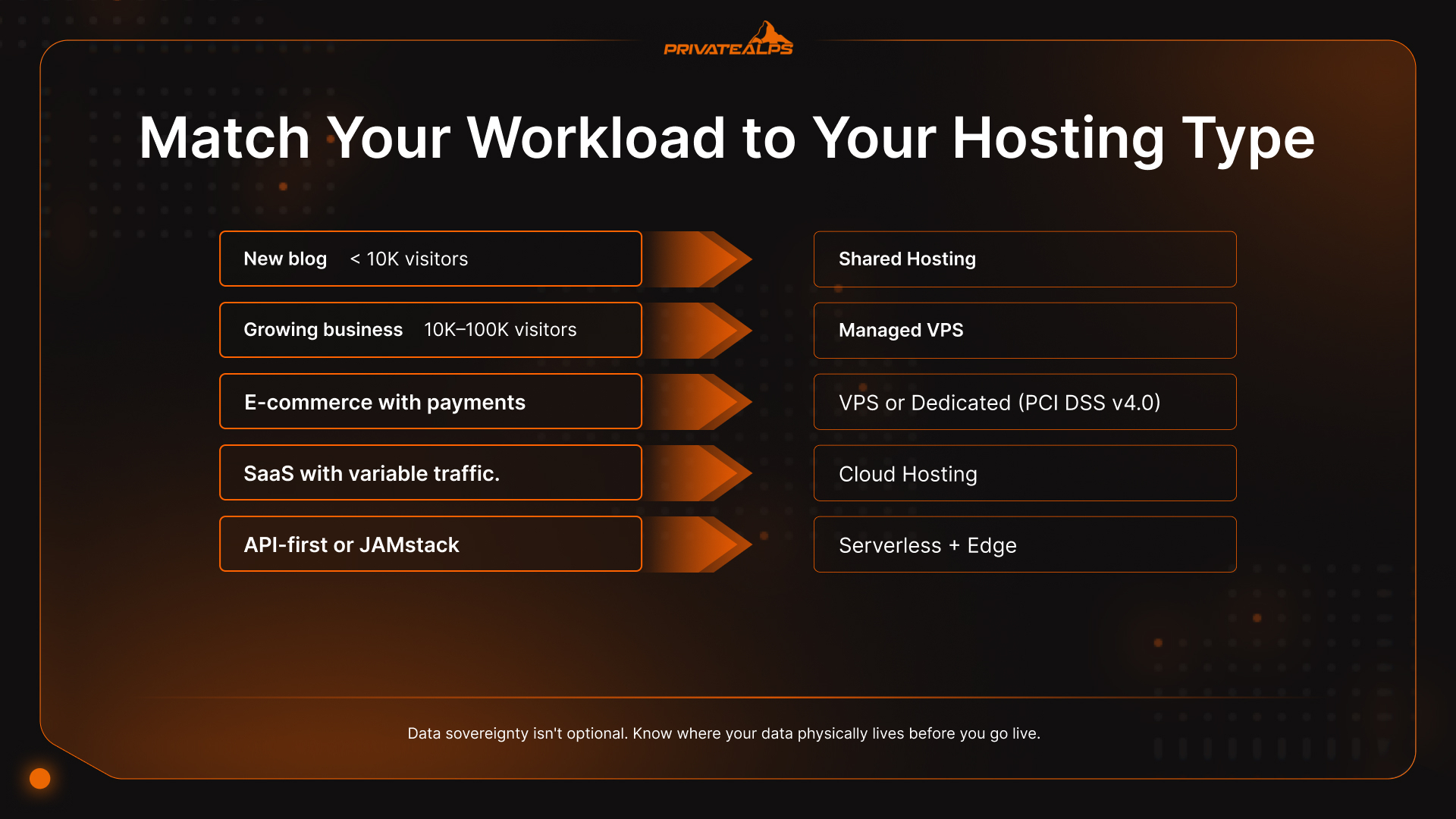
One thing most hosting guides skip: data sovereignty isn't optional for EU-regulated workloads. Switzerland qualifies as an adequacy country under GDPR Article 45 and operates its own nFADP framework - but not every cloud provider offers Swiss or EU data residency by default. It's not a checkbox you find after signup. If your website handles personal data from EU users, your hosting provider must sign a Data Processing Agreement (DPA) and document where your data physically lives before you go live.
| Your Situation | Recommended Type | Why |
|---|---|---|
| New blog or portfolio, < 10K monthly visitors | Shared hosting | Cost-effective, no management overhead |
| Growing business, 10K-100K monthly visitors | Managed VPS | Resource isolation + managed convenience |
| E-commerce with payment processing | VPS or dedicated (PCI DSS v4.0) | Tenant isolation mandatory since March 2025 |
| SaaS app with variable traffic spikes | Cloud hosting (multi-region) | Horizontal scaling, HA architecture |
| API-first or JAMstack application | Serverless + edge | Pay-per-execution, global low latency |
| Non-technical team, production workload | Managed hosting (any base type) | Eliminate sysadmin requirement |
| Agency managing 10+ client sites | Reseller hosting | Centralized WHM management + margin |
| Regulated industry (finance, healthcare) | Dedicated or colocation | Hardware control for compliance evidence |
| WordPress-heavy content site | Managed WordPress hosting | 2-4x TTFB improvement, WP-specific security |
| ESG reporting required | Green hosting (Swiss data center) | Genuine low-carbon, CSRD-aligned |
| Global IoT or real-time application | Edge hosting | Sub-10ms latency, compute at the boundary |
What Hosting Type Is Best for Small Businesses?
Shared hosting holds up for most small business websites up to roughly 10,000-50,000 monthly visitors. Past that threshold, shared environments start showing latency degradation under concurrent load - pages slow down, bounce rate rises, and nothing in your analytics tells you it's the server. The upgrade path that makes sense here is managed VPS: resource isolation without requiring someone on your team to own Linux administration. Most providers include monitoring and backups in the managed tier, which covers the basics without a dedicated sysadmin.
What Hosting Type Is Best for E-Commerce?
Payment-processing websites need at minimum VPS hosting; high-volume stores should be looking at dedicated or managed cloud. The reason isn't performance - it's compliance. PCI DSS v4.0 (v4.0.1), mandatory since March 2025, explicitly requires tenant isolation for cardholder data environments. Shared hosting can't satisfy that requirement. Managed cloud hosting with documented data residency is the balanced option for stores that are scaling and need to pass audits without rebuilding infrastructure again in 18 months.
What Hosting Type Is Best for Developers and Agencies?
Developers building custom web applications tend to want unmanaged VPS or cloud hosting - root access, custom web server configurations, infrastructure-as-code deployment via Terraform or Ansible, no guardrails. Agencies managing multiple client websites should look at reseller hosting instead of juggling individual accounts; the WHM control layer alone is worth it. For modern JAMstack website deployments, serverless hosting on Vercel or Netlify combined with edge functions on Cloudflare Workers is the setup that most development teams are converging on in 2026.
Summary
The hosting spectrum runs from simple to complex: shared hosting for beginners with low-traffic websites, VPS hosting as the mid-tier upgrade for growing web projects, dedicated and cloud hosting for demanding or compliance-driven workloads, and colocation for organizations bringing their own hardware. Managed hosting and serverless aren't tiers in that hierarchy - they're service and abstraction layers that sit on top of it. The right web hosting choice comes down to three honest questions: what does your website actually need right now, who is going to manage the server, and what compliance obligations apply to your data.
Ready to Host on Swiss Infrastructure?
PrivateAlps offers VPS and dedicated hosting from Swiss data centers - purpose-built for organizations that require GDPR and nFADP-compliant web hosting, zero third-party data sharing, and built-in DDoS protection. Whether you need managed hosting for a business website or a dedicated server for a compliance-regulated workload, Swiss jurisdiction means your data stays in one of the world's most privacy-protective legal frameworks, with genuine low-carbon hydropower infrastructure underneath. Explore PrivateAlps Hosting Plans →
FAQ
What Is the Most Common Type of Web Hosting?
Shared hosting is the most widely deployed web hosting model globally, driven by its $2-10/month price point and zero server management requirement. It serves the majority of beginner websites and low-traffic use cases without issues. The signals that your website has outgrown it are usually consistent: pages that slow down at specific hours, traffic spikes that cause timeouts, or software requirements that the shared control panel won't support.
What Is the Difference Between VPS and Cloud Hosting?
VPS hosting allocates a fixed virtual slice of one physical server using a hypervisor. Cloud hosting draws from an elastic pool across multiple machines. The practical difference for your website: cloud hosting scales horizontally and automatically as demand grows; VPS hosting requires a manual plan upgrade, usually with a brief restart window. Cloud hosting also typically offers geographic redundancy by default. A single VPS does not.
Is Serverless Hosting Suitable for All Websites?
No - and the limitation is specific. Serverless hosting works well for stateless, event-driven web workloads: APIs, webhooks, background jobs, JAMstack backends. It breaks down for websites that need persistent connections (WebSockets, long-running processes), stateful session management, or consistent sub-100ms response times. Cold starts add 100-3,000ms on first invocation. For some workloads that's acceptable. For others, it rules serverless out entirely.
Does Hosting Type Affect SEO?
Yes, directly. Hosting affects Time to First Byte (TTFB) and Largest Contentful Paint (LCP) - both Core Web Vitals signals that Google uses as ranking inputs. A 99.9% SLA still allows 8.7 hours of downtime per year, during which Googlebot can't crawl your website at all. Shared hosting also introduces IP reputation risk: a neighbor's spam activity can affect your domain's email deliverability signals. If your website's web hosting is on a slow or unreliable plan, the rankings eventually reflect it.
What Type of Hosting Do I Need for GDPR Compliance?
Any hosting type can be GDPR-compliant - the infrastructure type isn't the deciding factor. What matters is where the servers physically are. Switzerland qualifies as an adequacy country under GDPR Article 45, with bilateral recognition of the nFADP. The requirements are: documented data residency, a signed Data Processing Agreement (DPA) with the provider, and appropriate encryption at rest and in transit. Shared hosting often fails the "appropriate technical measures" test for sensitive personal data because there's no real tenant isolation at the OS level.
What Is the Cheapest Type of Web Hosting?
Shared hosting at $2-10/month is the minimum viable paid option. Free hosting is cheaper on the invoice but not in practice - ads injected into your pages, no custom domain, no uptime guarantee, and your usage data going somewhere you didn't choose. If you're asking which are the types of website hosting available at the lowest real cost, shared hosting at $5/month is a more honest starting point than free hosting with its operational ceiling.